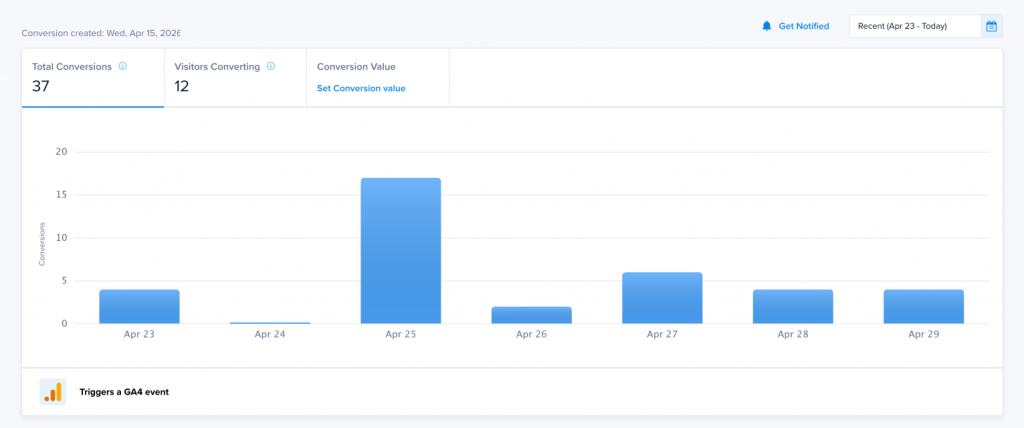
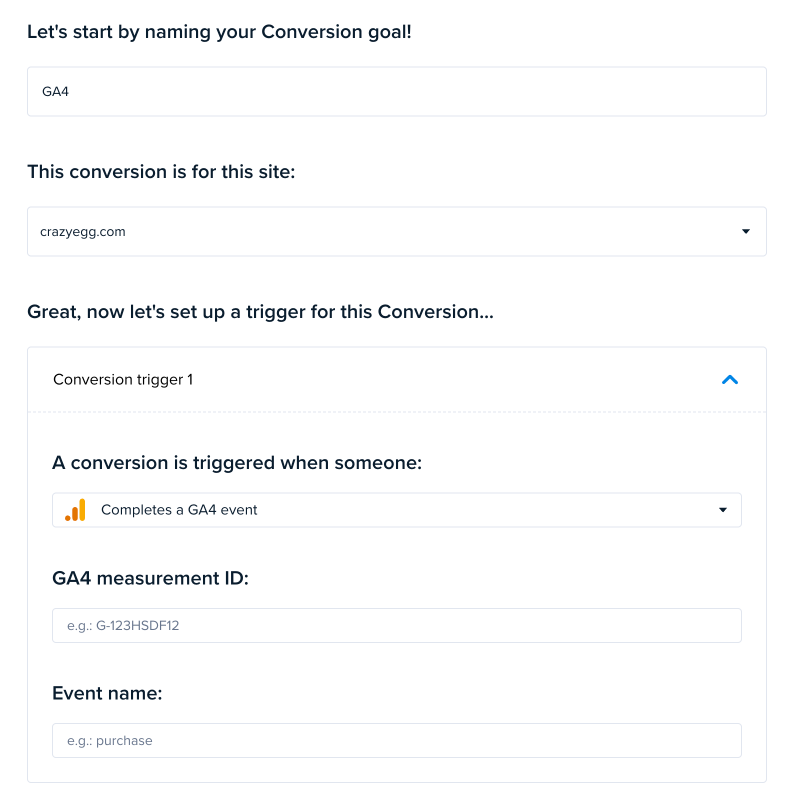
Crazy Egg allows you to track conversions based on Google Analytics 4 (GA4) events. This is a powerful way to align your Crazy Egg experiments, snapshots, and reports with the same behavioral signals you’re already using in GA4.
How It Works
Crazy Egg can detect a GA4 conversion event only if the event is triggered in the visitor’s browser (client-side). When this happens, Crazy Egg can immediately register the event as a conversion and associate it with the visitor session.
Supported Setup Methods
Crazy Egg will successfully detect GA4 events when they are fired client-side using:
- Google Tag (gtag.js)
Works if your GA4 event is sent directly from the browser using the Google Tag. - Google Tag Manager (GTM)
Works if a GA4 Event tag is triggered within the browser via GTM. - Customer Data Platforms (CDPs) like Segment
Works if the CDP sends the GA4 event from the browser (e.g., via JavaScript running on the page).
Unsupported Setup Methods
Crazy Egg will not detect GA4 events if they are only sent server-side or after leaving the browser. This includes:
- Server-side GTM implementations with no client-side event
- Segment (or other CDPs) using cloud-mode forwarding only
- Any backend or server-to-server GA4 event delivery without a browser-side trigger
Key Requirement
For Crazy Egg to detect a GA4 event:
The event must be fired in the user’s browser during their session.
If the event never exists in the browser environment, Crazy Egg has no way to observe or record it.
When to Use GA4 Event Triggers
Using GA4 events as conversion triggers in Crazy Egg is especially useful when you already have meaningful behavioral events defined in your analytics setup and want to reuse them for experimentation or UX analysis.
Here are two common use cases:
1. Tracking Form Submissions Without Page Reloads
Modern websites often use AJAX or single-page application (SPA) patterns where forms submit without navigating to a new page. In these cases, traditional URL-based conversion tracking doesn’t work.
If your site fires a GA4 event like form_submit when a user completes a form:
- You can configure Crazy Egg to use that GA4 event as a conversion trigger
- This ensures conversions are tracked accurately even without a thank-you page
- You can then analyze heatmaps, recordings, or A/B tests tied to successful submissions
Why this matters: It bridges the gap between dynamic frontend behavior and reliable conversion tracking.
2. Measuring Key Engagement Actions (e.g., Add to Cart, Video Plays)
Many important user actions don’t result in navigation but still represent meaningful engagement or intent.
Examples include:
add_to_cartvideo_playsignup_start
If these actions are already tracked as GA4 events:
- You can reuse them directly as conversion triggers in Crazy Egg
- This allows you to evaluate how page design, layout, or experiments influence these micro-conversions
- You gain deeper insight into user behavior before the final purchase or goal completion
Why this matters: It enables optimization of the full funnel—not just final conversions.
Summary
Crazy Egg integrates seamlessly with GA4 event tracking—but only when those events are visible in the browser.
- ✅ Client-side GA4 events → Detected by Crazy Egg
- ❌ Server-side-only events → Not detected
If you’re already using GA4 events to track meaningful interactions, you can leverage them directly in Crazy Egg to power more accurate conversion tracking and deeper behavioral insights.