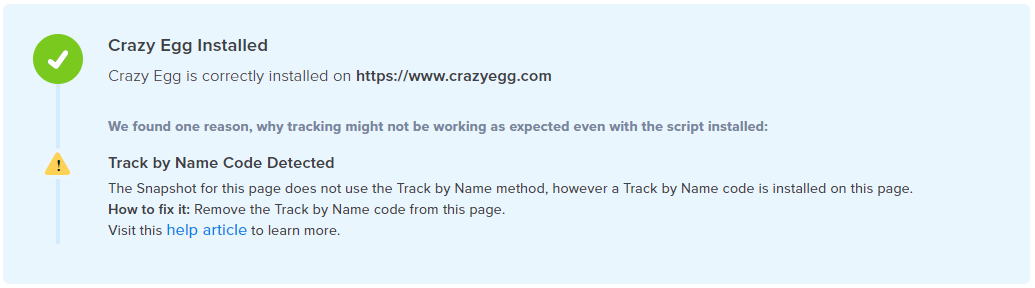
Why does this happen?
This situation occurs in one of two cases. You have added the track by name code on your page but have not configured the Heatmap to track using this method.
OR
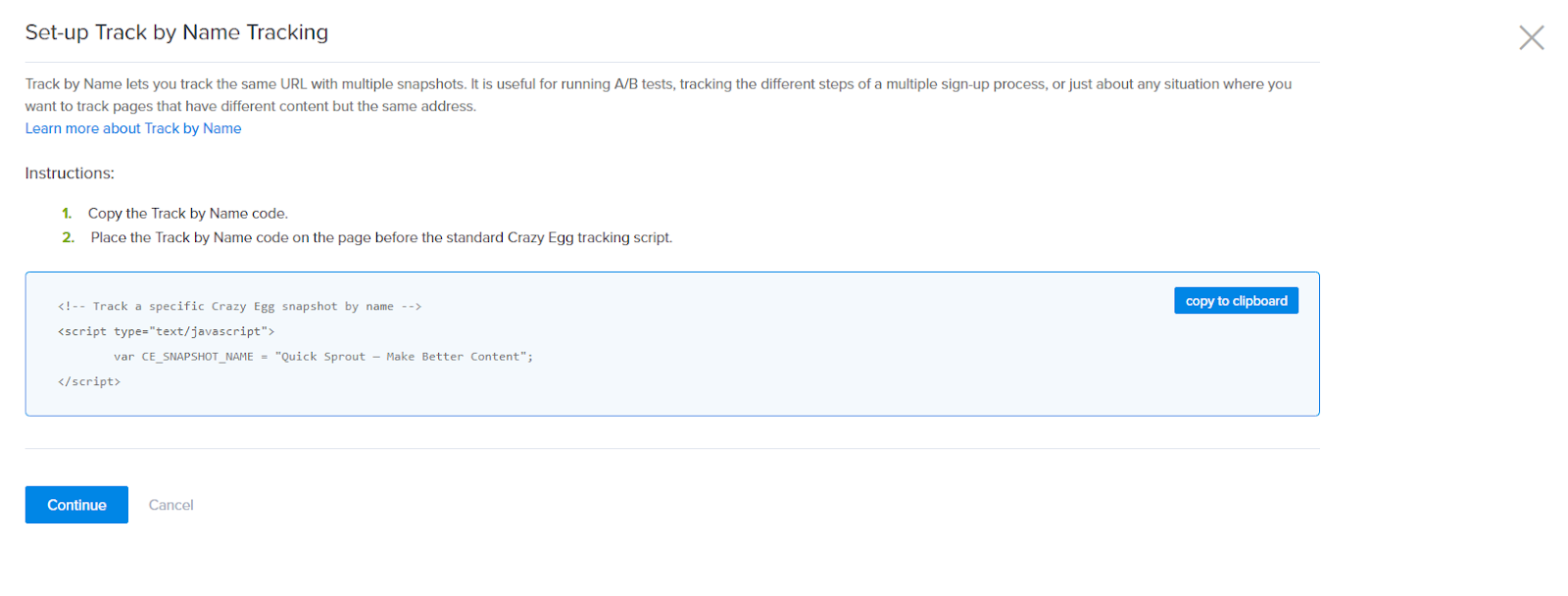
The CE_Snapshot_Name variable does not match the Heatmap’s name. The Track by Name code is based on the Name Your Heatmap field when setting up your Heatmap. The two values must match exactly.
Solving the Error
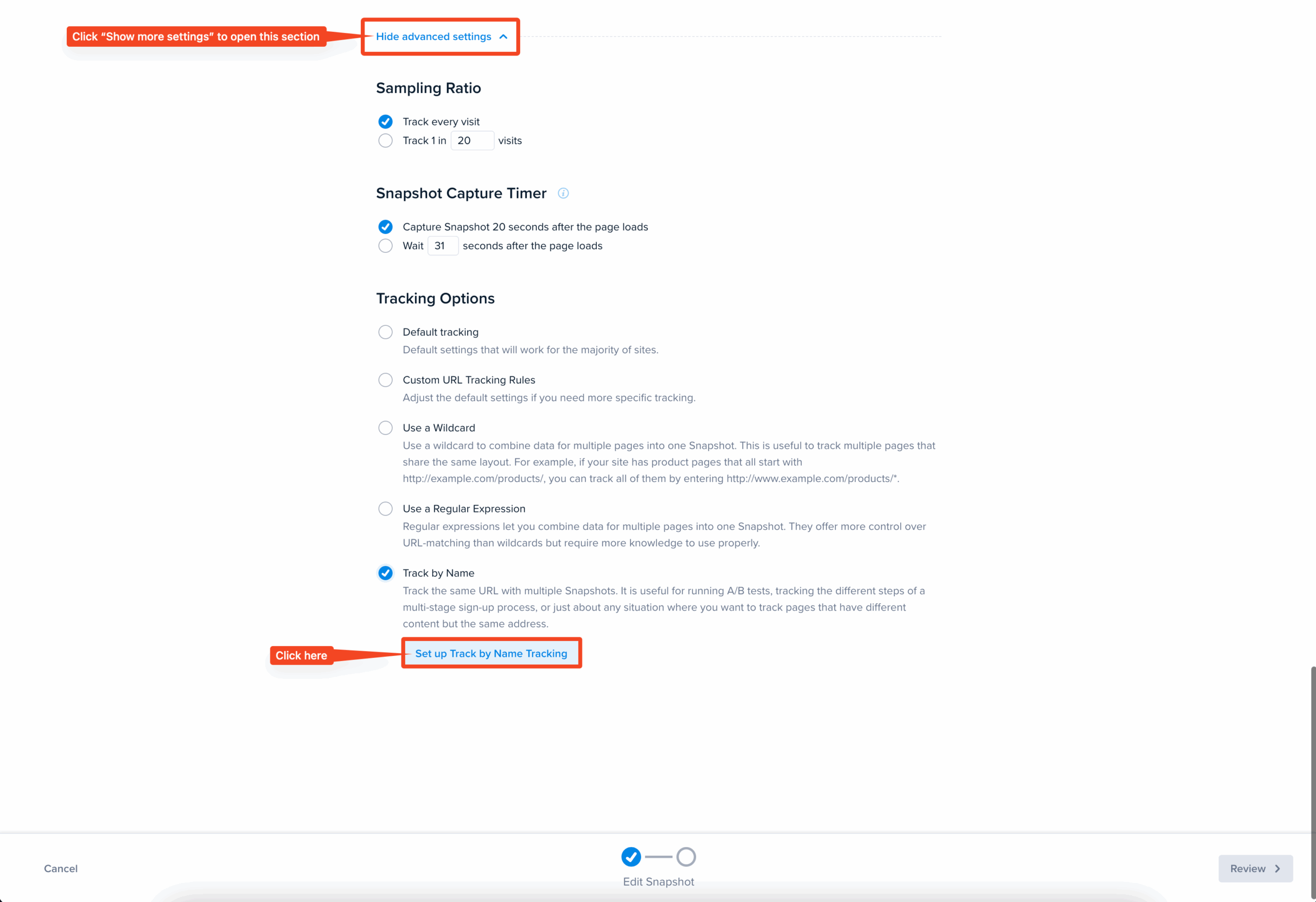
If the case is the first situation, then you must ensure the Track by Name option is selected under More Settings in the configuration. Editing this Heatmap will let you edit the configuration. Once done, re-run the check installation.
If the latter, then all you need to do is ensure that the correct Track by Name code is installed on the correct page. You can do this by simply going to your Heatmap’s Track By Name option and copying the code presented. Replace the code in your source file with this code. Once done, re-run the check installation.