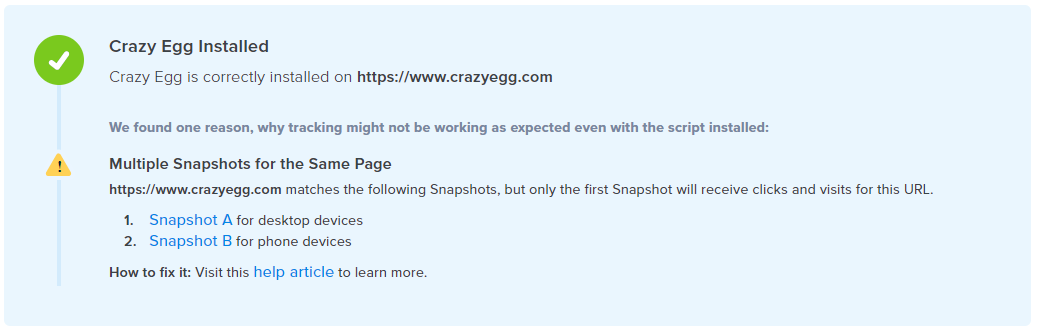
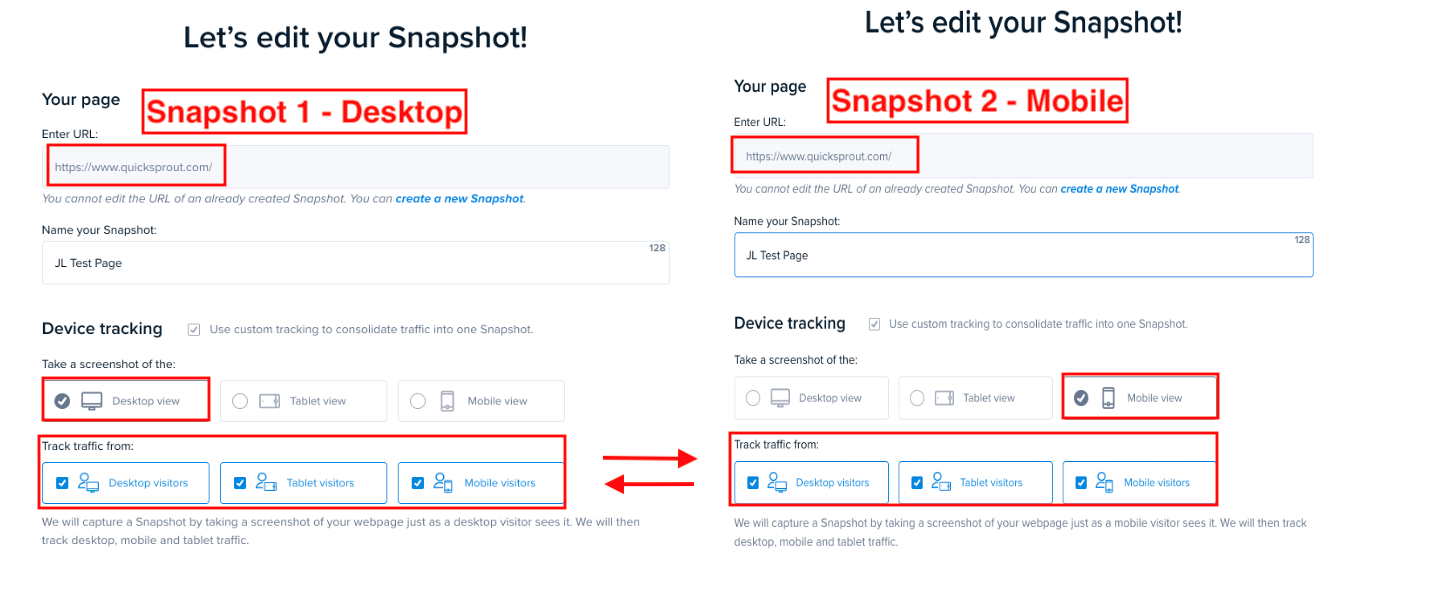
When an account has more than one running Heatmap tracking the same URL, AND the same devices, you will see this error.
For example, if an account has two Heatmaps tracking the URL quicksprout.com, both tracking visitors using desktop devices will cause this error. Below is an example of what this error looks like under the Heatmap setting of both Heatmaps.
How to Resolve this Situation
There are two options for resolving this situation, depending on the Heatmaps’ visit count.
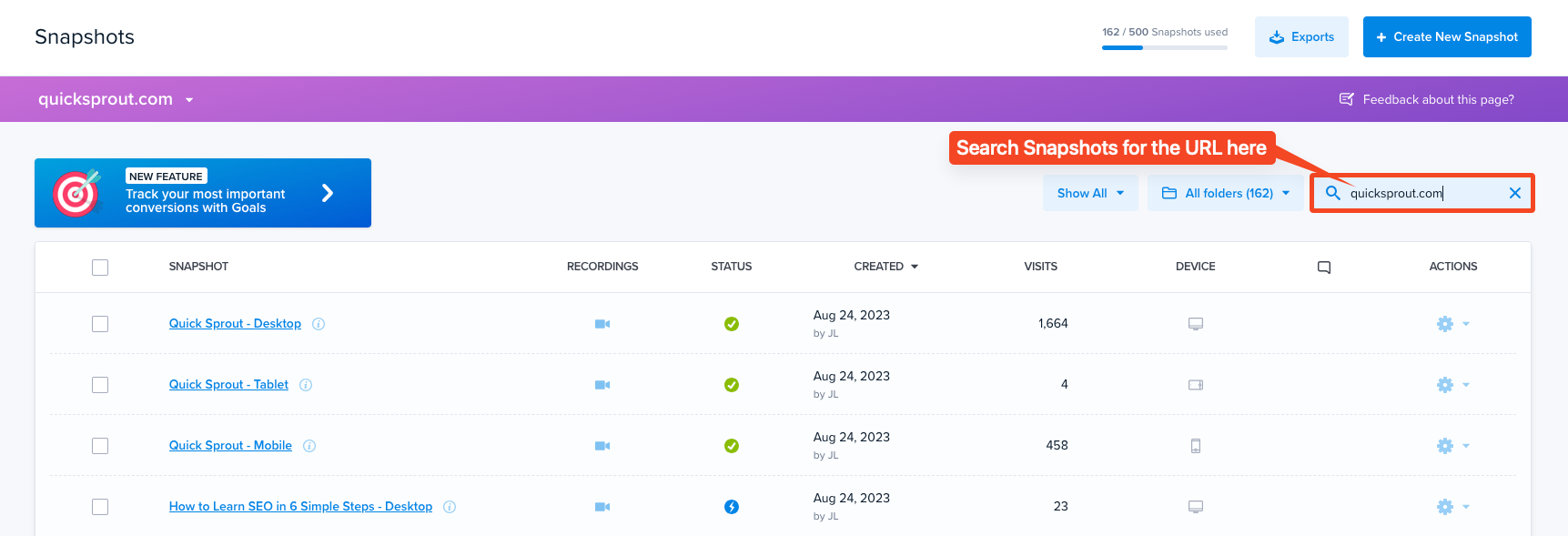
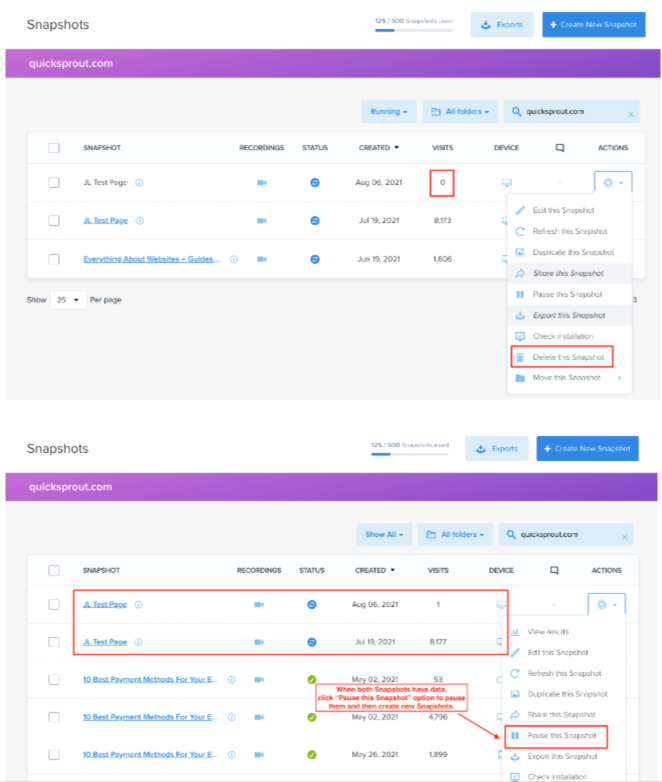
The first step is to locate the Heatmaps causing this issue. In the search field at the top of the Heatmap Dashboard, enter the page URL.
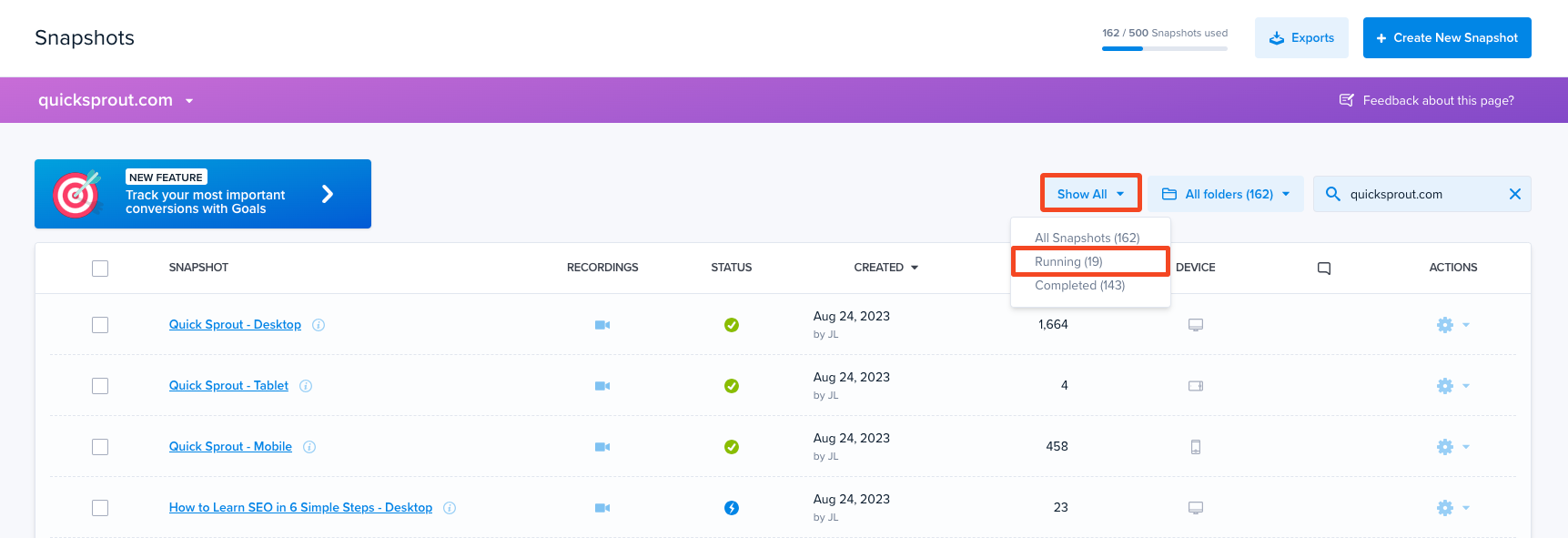
Click the Show All dropdown, then selectRunning Heatmaps only.
Now we are at the decision point. You have two options to resolve this issue. Option One (1) – For Heatmaps with 0 visits, our Crazy Egg experts recommend deleting them. Data has already been collected under the other one(s), so you aren’t missing any data. Option Two (2) – If both sets of Heatmaps have data, our Crazy Egg experts recommend pausing all the Heatmaps and creating new Heatmaps. This way, you maintain the data already collected and can now move forward with collecting data under a single Heatmap instead of multiple Heatmaps for the page.