Funnels map the path users take and highlight where they drop off, along the way. They give you a clear view of what’s working and what isn’t. They’re powered entirely by conversions you’ve already set up, so once your conversions are in place, Funnels give you a clear, visual readout of your user journey.
Think of Funnels as a high-level performance story for your most important paths, whether that’s:
- Landing → Product → Checkout
- Homepage → Demo Request
- Blog → Signup
- Donation steps
- Any sequence of pages or actions you define as steps
What Funnels Show
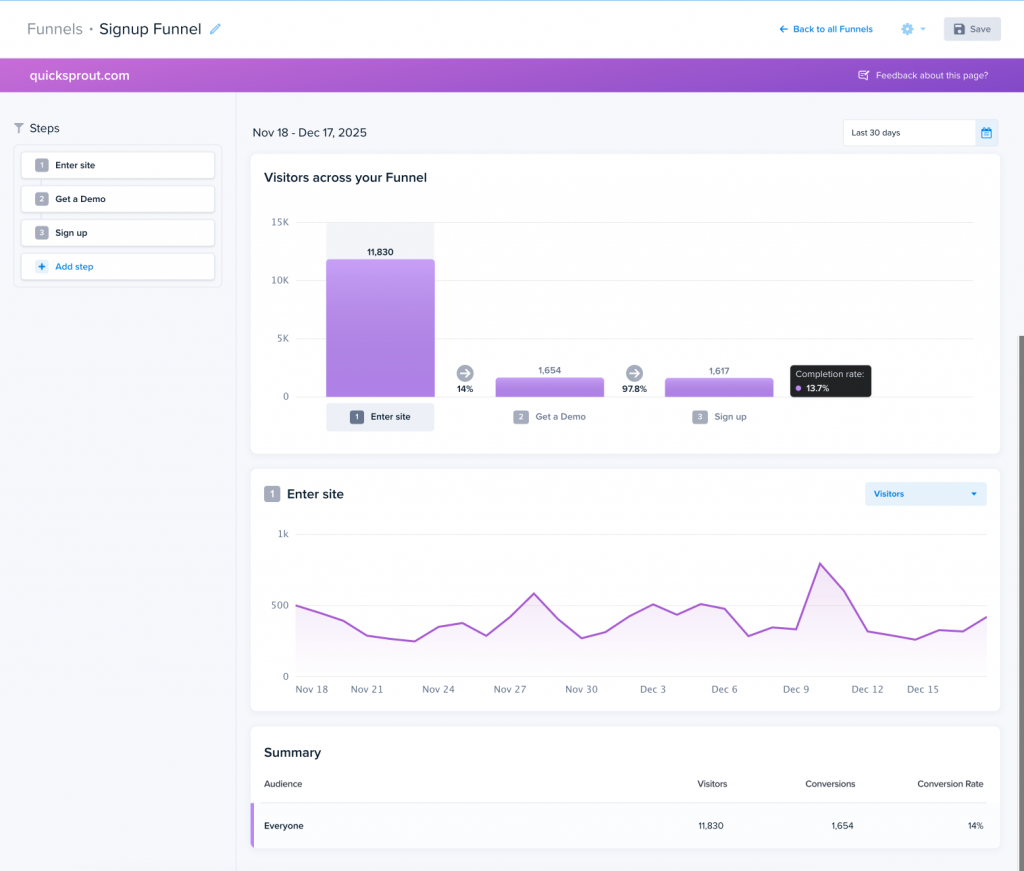
Funnels visualize how many visitors reach each step in the sequence you’ve defined. Each step corresponds to a conversion. As visitors meet those conversions, Crazy Egg displays:
- Visitors per step
- Conversions between steps
- Completion rate across the entire Funnel (Conversion Rate)

- Trends over time for each step
- Percent drop-off
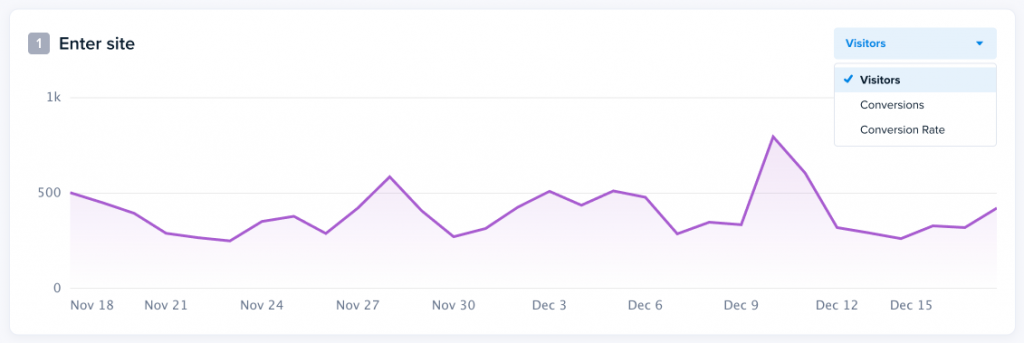
Because Funnels use your underlying conversions as their data source, completion numbers are always up to date and consistent with the rest of your reporting.
How Funnels Work
A Funnel is made up of steps. Each step = one conversion.
Example Funnel
- Enter site → conversion: “Enter Site”
- Get a Demo → conversion: “Get a Demo.”
- Donate → conversion: “Donate”
As visitors complete these conversions in sequence, Crazy Egg shows you how many continue through and where they stop.

We recommend choosing the broadest, top-of-funnel conversion first, such as “Enter site”. This gives the most accurate conversions and drop-off rates.
Ideal Use Cases
Funnels are especially helpful when you want to understand:
- Where users are abandoning your most valuable workflows
- How traffic quality changes over time
- Whether design or content changes affect step completion
- Which steps need optimization
- The relative impact of a low-performing page
If you’ve ever asked, “Why aren’t more people finishing this?” Funnels provide the answer.
When to Use a Snapshot Instead
Funnels help you see what is happening across a journey. Snapshots allow you to understand why visitors behave that way.
Use both when you need:
- Conversion analysis + Behavior analysis
- Big-picture insight + On-page context